

What is an online Christmas card everyone can sign?
An online Christmas card everyone can sign, also called a group ecard or an electronic card, is one digital card that a whole team, class or family signs from their own phones, instead of a paper card passed from desk to desk. You share one link, everyone adds a message, and the person it’s for gets them all in one place.
- Nobody gets left out. Remote coworkers, the night shift and the cousin three states away sign the same card as everyone else.
- Nobody chases the card. No envelope lost in a drawer, no “has anyone seen the card?” on December 23.
- Everyone gets real space. Nobody squeezes “Merry Christmas!” into the last free corner because forty people signed first.
- It arrives on time. No stamps, no shipping cutoff, no card that turns up in January.
Is there a free holiday ecard for employees to sign?
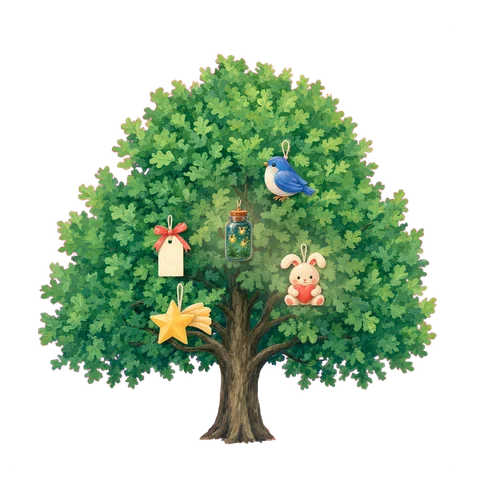
Yes: a Christmas tree on Wish Tree works as a free holiday ecard that employees sign from their own phones, with no app and no account. Instead of a flat card, each person hangs a message on the tree with a hand-painted ornament, so the tree fills up as the team signs.
- Make it in their name. Pick one of 22 hand-painted Christmas trees, share the link with everyone who should sign, and hand the tree over so they can open it on the day.
- Everyone signs on their own. Each person opens the link, writes up to 1,000 characters, picks an ornament, and signs their name or hides it to appear as a secret friend.
- It stays sealed until the day. Messages open on December 25, or January 1 if you pick New Year. Only the person the tree is for can read them; visitors see the tree and how many messages it holds, never the words.
- It costs nothing. The tree, the link and every message with a free ornament are free.
Want to see the trees and ornaments first? Start with the virtual Christmas tree. Used Deco My Tree before? See how Wish Tree compares.

Is there a free alternative to Kudoboard or GroupGreeting?
Yes. Wish Tree is free to make and free to sign, with no sign-up for signers, while Kudoboard and GroupGreeting charge for each card you send. Kudoboard’s free demo board takes up to 5 posts and can’t be delivered to the recipient through Kudoboard, and GroupGreeting has no free card, only a demo card to try.
| Service | Price for one card | Free option | Sign-up for signers |
|---|---|---|---|
| Kudoboard | $6.99 Lite (up to 20 posts), $9.99 Premium (up to 100), $19.99 Milestone (unlimited) | Demo board: up to 5 posts, can’t be delivered | Not required for guests; required by default on Business and Enterprise boards |
| GroupGreeting | $5.99 | No free card; a demo card to try | No registration; a name is required |
| Wish Tree | Free | Free to make and to sign | No sign-up, no app |
Prices as listed on each company’s pricing page on November 21, 2026.
Where the paid cards win: Kudoboard Premium takes video posts, Kudoboard lists poster and book prints, and GroupGreeting gives you a PDF of the card, which suits a card someone wants to print. Where Wish Tree wins: it costs nothing, nobody signs up, and every message stays sealed until Christmas Day, so the card is a real surprise. For more services side by side, see our Kudoboard alternatives guide.
How do you organize a group Christmas card in 10 minutes?
Pick the person and the day, make the card, write the first message, set a deadline and post one reminder: about 10 minutes for one organizer. The organizer can be anyone except the person the card is for: a peer or the office manager for a boss, a room parent or class rep for a teacher, the most organized cousin for Grandma. Start about two weeks before Christmas, so people get a full week or more to sign.
- Choose the person and the day (1 minute). Decide who the card is for and whether it opens on Christmas Day or New Year’s Day.
- Make the card (3 minutes). Put their name on it, spelled the way they spell it, and pick a design that suits them.
- Write the first message (2 minutes). A card that already holds one message feels easier to join than an empty one.
- Set the deadline (1 minute). At work, close signing about a week before Christmas, before time off starts. For family and friends, two or three days before is fine. Always add a time zone. Close a New Year card before Christmas too: few people check work chat between Christmas and New Year.
- Post the reminder (2 minutes). Paste one of the messages below in a Slack or Teams channel, an email thread or a group chat the person isn’t in.
- Add two calendar notes (1 minute). One for a nudge halfway through, one for a last call the day before the deadline.
What reminder should you paste in Slack, Teams or a group chat?
Paste a short message with the link, what to do, how long it takes and the deadline, and post it where the person can’t see it. Swap the brackets and send.
- For Slack or Teams: Hi all! We’re sending [Name] one holiday card from the whole team, and you can sign it from your phone: [link]. Write a few lines, pick an ornament and add your name. It takes about two minutes and needs no account. Please sign by [Friday, 5 p.m. ET]. Need an idea? “Thank you for [one thing they did this year]” is perfect. And shh: [Name] isn’t in this channel.
- For a family or class group chat: Hi everyone! Let’s send [Grandma] one Christmas card from all of us. Open this link on your phone: [link]. Write a few lines (a favorite memory from this year is perfect), pick an ornament and sign. No app, no account. Please add yours by [Sunday night]. It opens on Christmas Day, so don’t spoil the surprise!
- Last call, the day before the deadline: Last call for [Name]’s card! [12] of us have signed so far. It closes [tomorrow at 5 p.m. ET]: [link]. Two minutes, no account needed.
Post it as its own message, not as a reply buried in a busy thread. In a class of younger kids, parents add the message for their child, since Wish Tree is for ages 13 and up. If anyone asks how signing works, send them how to send a wish.
Should a work card say “Merry Christmas” or “Happy holidays”?
Use “Happy holidays” or “Season’s greetings” on a card the whole team signs, and save “Merry Christmas” for people you know celebrate it. In December 2025, 88% of Americans told Gallup they celebrate Christmas. That still leaves about 1 in 8 who don’t: on a team of 16, about two people. The season also holds Hanukkah, which usually falls in December, and Kwanzaa, from December 26 to January 1.
- For a mixed team: “Happy holidays,” “Season’s greetings,” “Warm wishes for the season” or “Enjoy a restful break.”
- For everyone: New Year wishes, like “Here’s to a great year ahead,” fit almost everyone.
- For someone you know celebrates: “Merry Christmas” is warm and right, and each signer can pick their own greeting.
- For faith-based wording: Save blessings and verses for people you know share them.
Making the card on Wish Tree? Set it to open on January 1 for a New Year card, or use a wish tree for any moment, which opens on the day you pick. A wintry design such as Frost or Blue Spruce, with ornaments like a snowman or hot cocoa, keeps the look about winter.




Christmas card messages for coworkers
The best message for a coworker thanks them for one specific thing and wishes them a good break. Copy one of these, swap “Merry Christmas” and “Happy holidays” to fit the person, and change one detail so it sounds like you.
- The thank-you: Thank you for every “send it over, I’ll take a look.” Merry Christmas, and enjoy every lazy minute of the break.
- The desk neighbor: This year was better with you one desk over, or one Zoom square over. Happy holidays!
- The low-key one: Wishing you a quiet inbox, a full plate and a few slow mornings. Happy holidays.
- The steady one: You made the hard weeks feel shorter. Thank you for being the person we all count on. Merry Christmas!
- The funny one: Here’s to an out-of-office reply nobody tests. See you in January!
Writing a Christmas card for your team, or from one team to another? Try one of these.
- From a manager: We shipped [the big thing], got through [the hard thing] and still laughed on Friday calls. Thank you, team. Happy holidays.
- The permission slip: You earned this break. Log off, sleep in and leave Slack unread until January.
- The cheers: To the people who make Mondays easier: merry everything, and see you next year.
- Team to team: To the IT crew who rescued us more times than we can count: thank you, and happy holidays from everyone in Sales.
For 82 more, sorted by who they’re for, see our short Christmas card messages, and for 80 short wishes sorted by occasion, what to write on a wish tree.
What do you write in a Christmas card for a boss or a client?
For a boss, thank them for something concrete from the year; for a client, thank them for the work together and look ahead. Keep both warm and short, and skip jokes about bonuses or deadlines.
- Boss, the specific thanks: Thank you for trusting me with [the project] this year. I learned more than I expected. Merry Christmas!
- Boss, the steady hand: Thank you for backing us when the plan changed twice in one week. Wishing you a restful holiday.
- Boss, short and warm: Thanks for a year of clear calls and kind feedback. Happy holidays, and enjoy the time off.
- Client, the partnership: Thank you for another year of working together. We’re grateful for your trust and wish you a peaceful holiday season.
- Client, the look ahead: Season’s greetings from all of us. Here’s to more good work together in the new year.
- Client, the personal touch: Working with you and your team was a highlight of our year. Wishing you a happy, restful holiday.
A client card should come from the people the client actually works with: three or four names they know mean more than forty they don’t.



How do you sign a Christmas card from multiple people?
Open with one shared line that says who it’s from, then let each person add a short message and their own name. Here is how that looks for each kind of group:
- A team: “Happy holidays from all of us in Customer Support,” then each person’s line and first name. In a big company, add a last initial or team, like “Priya S., Design.”
- A family: “Love, the Garcias,” with no apostrophe. Names ending in s, x, z, ch or sh add -es: the Joneses, the Lopezes. Or list everyone: adults first, then kids from oldest to youngest, and the dog last.
- Different last names: “Warmly, Maya Chen and Luis Ortiz,” or first names only if they know you both.
- A class: “With thanks from Room 12,” then each student’s first name.
- A company to a client: “Season’s greetings from your team at [Company],” signed by the people the client knows.
Not a “Love” kind of card? Sign off with “Warmly,” “Cheers,” “With thanks,” “Warm wishes” or “All the best for the new year.” On a digital card each person signs their own message, so ask everyone to use the name the recipient knows them by.
How do remote teams sign one card across time zones?
Give one deadline in one named time zone, post the reminder when most people are online, and let everyone sign whenever they’re awake. A card that lives at a link never needs people online at the same time.
- Name the time zone. “Friday at 5” means three different moments in Boston, Denver and Seattle. Write “Friday, 5 p.m. ET (2 p.m. PT).”
- Post in the overlap. In December, 11 a.m. Eastern is 8 a.m. in Los Angeles and 4 p.m. in London, but midnight in Manila. If your team spans Asia too, post twice. Slack and Teams can both schedule a message, so you can write it once and time it for each region.
- Ask one person per office to nudge. A direct message from a local teammate usually works better than a fifth @channel.
- Let the card keep time. A card that opens on a set day needs no timed send: a Christmas wish tree opens on December 25, or January 1, by itself.
What mistakes should you avoid with a group Christmas card?
The classic mistakes are starting too late, letting the person see the planning, and twenty messages that all say the same thing. Watch for these:
- Posting where they can see it. Check the member list before you paste the link; a #general post reaches the person the card is for.
- Starting on December 22. Late cards collect a handful of names. Start about two weeks ahead.
- Twenty identical lines. “Merry Christmas!” twenty times reads like a sign-in sheet. Ask for one specific thing in your reminder: a moment from this year or a thank-you.
- Jokes only half the team gets. Keep humor kind and about shared moments, never about age, looks or last year’s party.
- Mixing in money. Keep signing free and separate from any group gift, so nobody skips the card because they can’t chip in.
- Forgetting people outside the main channel. Part-timers, the night shift, contractors and anyone on leave. List who should sign before you post.
- Misspelling their name. Check whether it’s Kristin or Kirsten before you make the card.
Can you do the same for a birthday?
Yes: the same one-link card works for birthdays, and it opens on the birthday instead of Christmas. Wish Tree is a free online wish tree: make a tree for a birthday, Christmas or any moment, share one link, and friends hang wishes you open on the day. For the next coworker, teacher or friend, start a group birthday card the same way: one link, one deadline, one reminder.
Questions and answers
Is a group Christmas card free on Wish Tree?
Yes. Making the tree, sharing the link and every message with a free ornament cost nothing.
Do coworkers need an app or an account to sign?
No. There’s no sign-up: they open the link in any browser on a phone or a computer, write a message, pick an ornament and send it.
Can someone sign anonymously?
Yes. Anyone can hide their name, and the recipient then sees that message as from a secret friend.
When does the recipient read the messages?
On December 25, or January 1 if you pick New Year. Until then they can watch the ornaments arrive, but every message stays sealed, and visitors never see the words.
How long can each message be?
Up to 1,000 characters, about a long paragraph. Two or three specific sentences usually say more than a full page.
How many people can sign one card?
As many as you invite. The tree keeps every message for the recipient to open on the day.
What is the limit on a free Kudoboard?
Kudoboard’s free demo board takes up to 5 posts and can’t be delivered to the recipient through Kudoboard. Paid boards take up to 20 posts (Lite, $6.99), up to 100 (Premium, $9.99) or unlimited posts (Milestone, $19.99). A Wish Tree holds as many messages as people send, for free.
Is there a free alternative to GroupGreeting?
Yes. GroupGreeting has no free card: one card costs $5.99, less in packs, and you can try a demo card first. Wish Tree is free to make and to sign, signers need no account, and every message opens on the day you pick.
Sources
- Gallup: Secular Christmas Traditions Persist as Sacred Ones Decline
- National Geographic: Kwanzaa celebrates African-American heritage
- Slack Help Center: Send and read messages
- Microsoft Support: Schedule channel messages in Microsoft Teams
- Kudoboard: Pricing & Subscription Plans
- Kudoboard Help Center: Do I need to pay each time I create a Kudoboard?
- Kudoboard Help Center: Do I have to register to post on a Kudoboard?
- GroupGreeting: Pricing and Plans
- GroupGreeting: Frequently asked questions